

On-page SEO is one of the most important foundations of search engine optimization. Without it, even the best backlink strategy or paid campaigns will struggle to perform. The good news? On-page SEO isn’t as complicated as it seems. Once you understand the key principles and apply them consistently, you’ll be ahead of most competitors.
Here is the complete guide to on-page SEO. With it, you will soon be able to:
NB: Don’t be afraid if you’re new to SEO; this article explains everything you need to know from A to Z (we’re like that at MNSEO Ultrapro 😎)
What is On-page SEO?
On-page SEO refers to all the optimization efforts you apply within your website to improve its visibility in search engines and deliver value to users. This includes optimizing your content, HTML tags, URLs, images, and overall site structure.
The goal is twofold:
On-page SEO is different from off-page SEO, which focuses on external factors like backlinks and brand mentions. Both are essential, but on-page SEO is the foundation, you control it entirely, and without it, off-page efforts won’t reach their full potential.
The Differences between On-page SEO and Off-page SEO
Why On-Page SEO Matters?
On-page SEO is more than just a checklist of technical tweaks. It directly impacts how search engines rank your site and how users experience your content.
Importance for Rankings
On-page SEO is important because it allows you to optimize your content for better ranking on search engines. And this is the goal of site editors; to be first in the search results on Google.
Importance for User Experience
Mechanical vs Emotional Side of Optimization
Together, these two sides make your website not only search-friendly but also people-friendly.
5 Steps to Optimize Your On-page SEO
We have chosen to separate the question of on-page SEO into 5 distinct parts. This way, you can return to this article to ensure that you respect each criterion in your site creation.
Optimize URLs & Domain
URLs are one of the first signals Google and users look at when deciding what a page is about. A clear, keyword-friendly URL not only improves search engine crawlability but also boosts user trust and click-through rates.
Characteristics of an SEO-Friendly URL
HTTPS and Site Security
Google has confirmed that HTTPS is a ranking factor, and browsers now warn users when a site isn’t secure. Migrating to HTTPS not only improves trust but also protects user data, making it essential for SEO and conversions.
Choosing the Right Domain
Your domain sets the long-term branding tone:
URL Structure Best Practices
How to Make a Good URL?
Once you have the right domain name, you need to optimize the URL of each page you publish.
For WordPress, you need to follow these steps:
➡️ Click on “Settings.”
➡️ Then “Permalinks.”
➡️ And finally, click on “Title of the publication”:

This allows you to have the article name automatically in the URL. Then, it will be necessary to optimize each URL by hand.
And for that, you need:
Optimize HTML Tags (Title, Meta, Headers)
Very simply, the HTML tags correspond to the titles of each article and the intertitles.
Title Tags – The Most Powerful On-Page Signal
Title Tag is the single most important on-page SEO element. Search engines use it to understand the primary topic of the page, and users see it as the first clickable headline in SERPs.
Best Practices:
Meta Descriptions – Boosting CTR
The meta description is the small paragraph appearing below the Title tag in search results. Although meta descriptions aren’t a direct ranking factor, they heavily influence click-through rates (CTR), which indirectly impact rankings.
Best Practices:
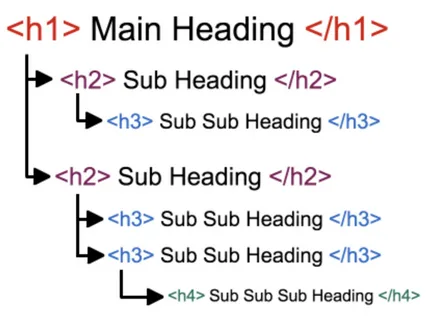
Header Tags (H1, H2, H3, etc.) – Structuring Content
You must offer your reader a clear and coherent header structure when writing an article. In other words, you need to adopt a logical hierarchy so your visitor can easily find their way around. Header tags organize content for both readers and search engines. They establish hierarchy and help distribute keyword relevance across the page.
Best Practices:
Alt Tags for Images – SEO & Accessibility
Alt attributes describe images for search engines and visually impaired users. They also help images rank in Google Images and boost topical relevance.
Best Practices:
Content Optimization (Keywords, Intent, Form, Uniqueness, Media, Semantics)
Optimizing the content of your page is undoubtedly the most complex part of on-page SEO. You have to succeed in combining purely SEO criteria with copywriting so that the visitor appreciates your site.
Keyword Placement & Density
Keywords still matter, but their role has evolved. Instead of stuffing them, the focus is on strategic placement.
Best Practices:
Search Intent Alignment
Google rewards content that matches what users truly want. Search intent falls into four main types:
Your content must answer the right intent; otherwise, rankings won’t stick.
Read more about: Advantages of Google SEO For Your Business
Content Depth & Uniqueness
Thin or duplicate content fails to perform. Google favors comprehensive, unique, and fresh content.
Best Practices:
Formatting & Readability
Search engines consider user experience (UX) as a ranking signal. Proper formatting makes content scannable and engaging.
Best Practices:

Image & Video Optimization
Media enhances engagement but must be optimized for SEO.
Best Practices:
Semantic SEO & Topical Relevance
Modern SEO goes beyond keywords, it’s about covering the entire topic.
Best Practices:
Feel Free to Create Infographics
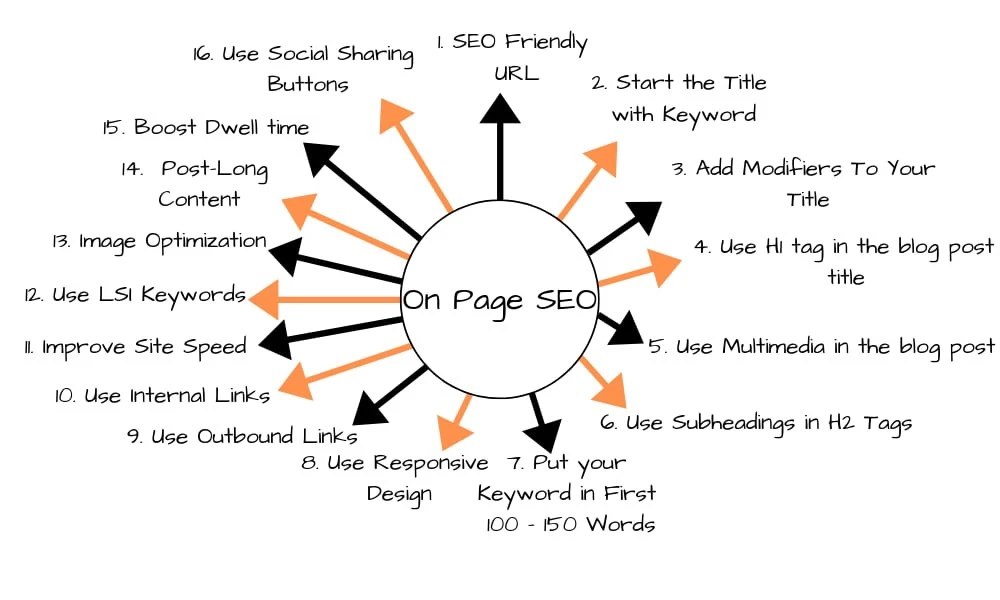
It brings a lot of value to your readers and is often shared. It’s an excellent way to make yourself known without spending a penny.
Internal Linking Strategy
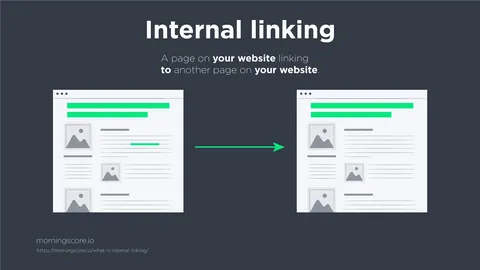
Internal links act as pathways for both users and search engines. They guide visitors to related content and help Google understand the hierarchy and relationships between your pages. A well-structured internal linking system boosts crawlability, ranking signals, and dwell time.
Anchor Text Optimization
The anchor text (clickable text in a link) is a strong relevancy signal.
Best Practices:
Distributing Link Equity (PageRank Flow)
Not all pages are equal, some naturally accumulate more authority (like your homepage). Internal linking ensures that authority flows strategically.
Best Practices:
User Experience & Engagement
Good internal linking improves engagement by keeping users on your site longer.
Best Practices:
Common Mistakes to Avoid
Check Out for Duplicate Content
Duplicate content occurs when identical or very similar content appears on multiple pages, either within your site or across different sites. Search engines struggle to decide which version to rank, which can dilute SEO value and lower rankings.
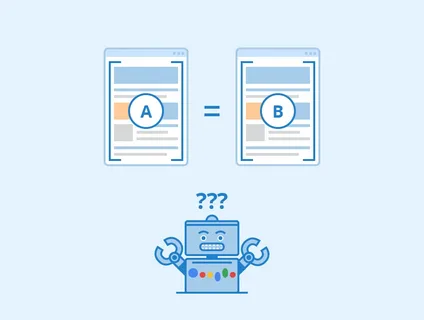
It is important to mention that you should not reproduce identical content between your pages. Of course, there may be some similarities, but a specific limit should not be exceeded. There are no exact figures, but avoid exceeding 25% of identical content between your articles. With that, you should be safe.
Causes of Duplicate Content
Best Practices to Prevent Duplicate Content
Related Resource: 13 Ways to Grow your Organic Traffic
Modern On-Page SEO Factors
Page Loading Speed
Page speed is a critical ranking factor and directly impacts user experience. Slow-loading pages increase bounce rates and reduce the time users spend on your site, signaling poor quality to search engines.
Optimizing images, leveraging browser caching, using Content Delivery Networks (CDNs), and minimizing CSS/JS files are effective ways to improve speed. Tools like Google PageSpeed Insights and GTmetrix help identify bottlenecks.
Must Read: All You Need to Know Technical SEO to Optimize Website Speed
Mobile-Friendliness
With over 50% of searches coming from mobile devices, Google prioritizes mobile-friendly sites in its rankings. Responsive design ensures that your website adapts seamlessly to any screen size, while touch-friendly elements, readable fonts, and optimized images improve the mobile experience.
Mobile-first indexing means that Google evaluates your mobile site as the primary version for ranking.

User Experience (UX)
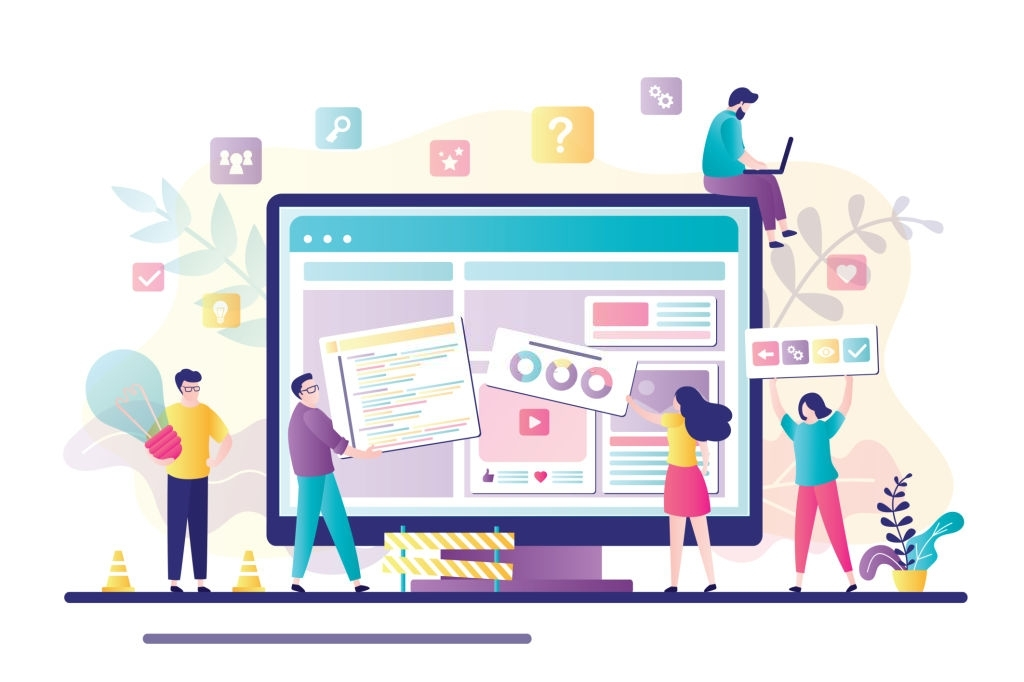
UX encompasses navigation, layout, readability, and interaction. A well-structured website encourages users to stay longer, explore multiple pages, and convert.
Key elements include clear menus, logical content hierarchy, accessible call-to-action buttons, minimal pop-ups, and visually appealing design. UX also affects dwell time and bounce rate, which are indirect ranking signals.
HTTPS & Security
Secure websites (HTTPS) not only protect user data but are also favored by Google. SSL certificates are essential for establishing trust, especially for e-commerce sites, and provide a minor ranking boost.
Structured Data & Schema Markup
Structured data helps search engines understand the context of your content, enabling rich snippets, FAQs, review stars, product info, and event details in SERPs. Schema markup can improve CTR by making your listings more attractive.
Core Web Vitals
Core Web Vitals are metrics that evaluate loading, interactivity, and visual stability:
Optimizing these metrics improves ranking potential and enhances UX.
Multimedia Optimization
Optimizing images, videos, infographics, and other media can enhance engagement. Techniques include using descriptive file names, alt text, captions, compression, lazy loading, and responsive sizing. Videos also increase dwell time and can boost SEO when properly optimized.
Accessibility
Accessible websites ensure all users, including those with disabilities, can interact with content. Proper headings, alt text, ARIA labels, color contrast, and keyboard navigation improve inclusivity and can indirectly affect SEO.
Conclusion
On-page SEO is the foundation of your website’s visibility and user engagement. By optimizing URLs, HTML tags, content, internal links, and preventing duplicate content, while also addressing modern factors like page speed, mobile-friendliness, UX, security, structured data, and multimedia, you can significantly improve your search rankings.
Combining technical precision with user-centric content ensures both search engines and visitors find value in your site, creating long-term growth and authority online.
Start optimizing your website today! Implement these on-page SEO strategies to boost your rankings, attract organic traffic, and deliver a seamless experience to your visitors.
Related Posts


