


Ensuring that Google indexes all pages of your PrestaShop store is crucial for effective SEO. How can you be sure that Google is indexing all the pages of your online store? The simplest solution is probably to submit a Sitemap. It is simply a plan that its robots can use to locate and discover all of your pages. In addition, if your Prestashop Sitemap is well done, it can help you in terms of SEO.
Here is a complete guide that explains how to create and use a Sitemap with Prestashop!
What is a Sitemap?
A Sitemap is a structured file that lists all important URLs of your website to help search engines index them efficiently. Each Sitemap file can contain up to 50,000 URLs and must not exceed 10 MB in size. For larger stores, multiple Sitemaps can be generated, with a Sitemap Index listing all individual Sitemap files.
In addition to URLs, a Sitemap can include metadata like the update frequency, video duration, and page priority, which provides search engines with extra context about your content. While the Sitemap itself doesn’t directly improve rankings, it ensures that all valuable pages are discoverable and eligible for indexing.
Why is Sitemap Used?
The primary purpose of a Sitemap is to help search engines better index your store’s content. Pages that are not indexed cannot appear in search results, making a Sitemap indirectly crucial for SEO.
A Sitemap is especially useful if your site architecture is complex or if some pages are difficult for search engines to find naturally. It ensures that all relevant pages, images, and videos are discoverable, improving the overall visibility of your site in search engines.
Do You Need a Sitemap for SEO?
Not all websites strictly require a Sitemap. If Google already knows all your pages and your internal linking structure is solid, a Sitemap may not be critical. However, if some pages are missing from the index or if your store is large and frequently updated, a Sitemap becomes essential.
A Sitemap is a safety net for indexing, ensuring search engines don’t miss any important content. It also helps identify potential issues in your site architecture and ensures your SEO efforts are fully leveraged.
How Do I Know if Google has Indexed My Pages Correctly?
To check if Google has indexed your pages, use the site:yourdomain.com search operator. This gives a rough count of indexed pages.
Here’s an example:
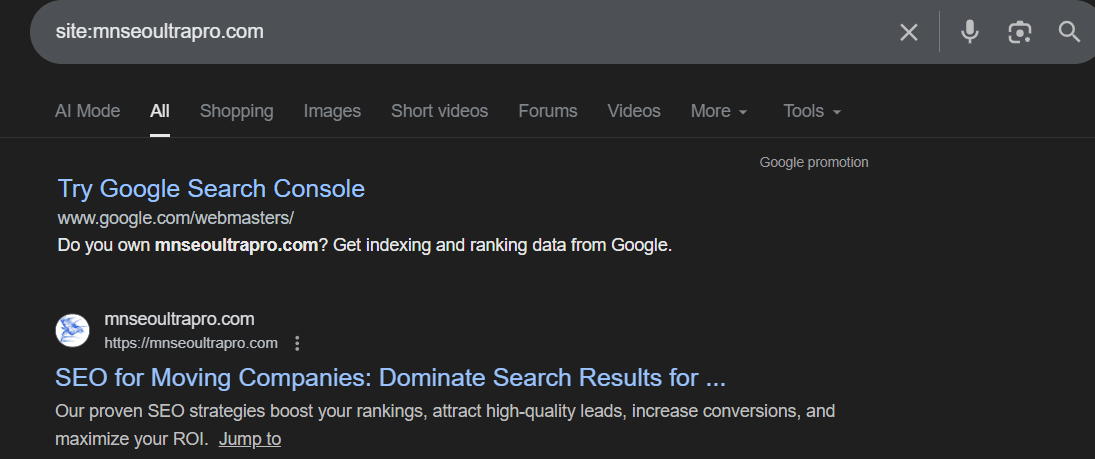
You can also log in to your Google Search Console account and go to the “Index > Coverage” menu. Here, you can see the total number of indexed pages, detect errors, and monitor last indexing dates. Comparing the number of indexed pages with your store’s total pages helps identify potential indexing issues.
Why doesn’t Google Index all my Pages?
Here are some common reasons why Google (and other search engines) may not be aware of all your pages, images, or videos:
Check out: Technical SEO Guide.
How to Create/Generate a Sitemap on Prestashop?
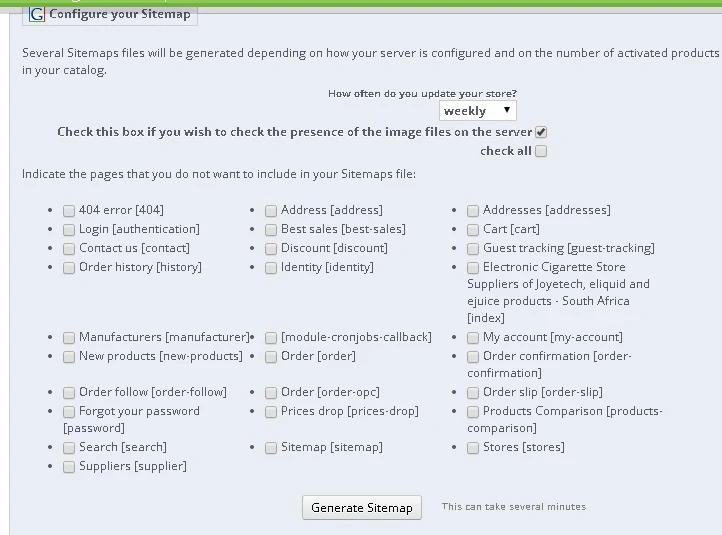
Prestashop provides a free “Google Sitemap” module for creating Sitemaps. To generate your Sitemap:
Limitations:
Despite its limitations, the Prestashop module is a good starting point for generating a basic Sitemap.
How can I Generate a Sitemap Manually?
If you cannot create your Sitemap file using modules, you can do it manually with this tool. In “Your website URL,” you just need to enter the URL of your site and click on the “Start” button.

Once the sitemap has been generated, click the “Download” button and save it to your computer. You must send it to your server and enter its URL in Google’s Search Console.
Submit your Sitemap to the Search Console
Well, you have generated your Sitemaps; that’s great! But if you don’t tell Google how to find them, it won’t help. The following explanations assume:

You can then return to this menu regularly to see if Google is indexing all the URLs sent via your sitemap.
Conclusion
A Sitemap is a critical tool for ensuring that all important pages of your Prestashop store are discoverable by search engines. While it does not directly improve rankings, it facilitates crawling, accelerates indexing, and helps maintain a clean site structure. For large or frequently updated stores, a Sitemap is essential for efficient SEO management.
👉 Create your Prestashop Sitemap today and submit it to Google Search Console and Bing Webmaster Tools. Ensure all pages, products, and images are included to maximize visibility and indexing speed.
Related Posts


